AI Data Extraction Tool
A fully offline data analysis program specifically for ESAB welding tests
The Problem:
The ESAB R&D Department has been logging completed lab tests for over 25 years into one massive excel file. Today, this file has over 43,000 tests logged, each with 1,250 separate metrics tested (yes, that leads to 53 million data points). Before my internship, the product engineering team was manually aggregating test results for specific product lines and testing parameters.
My Solution
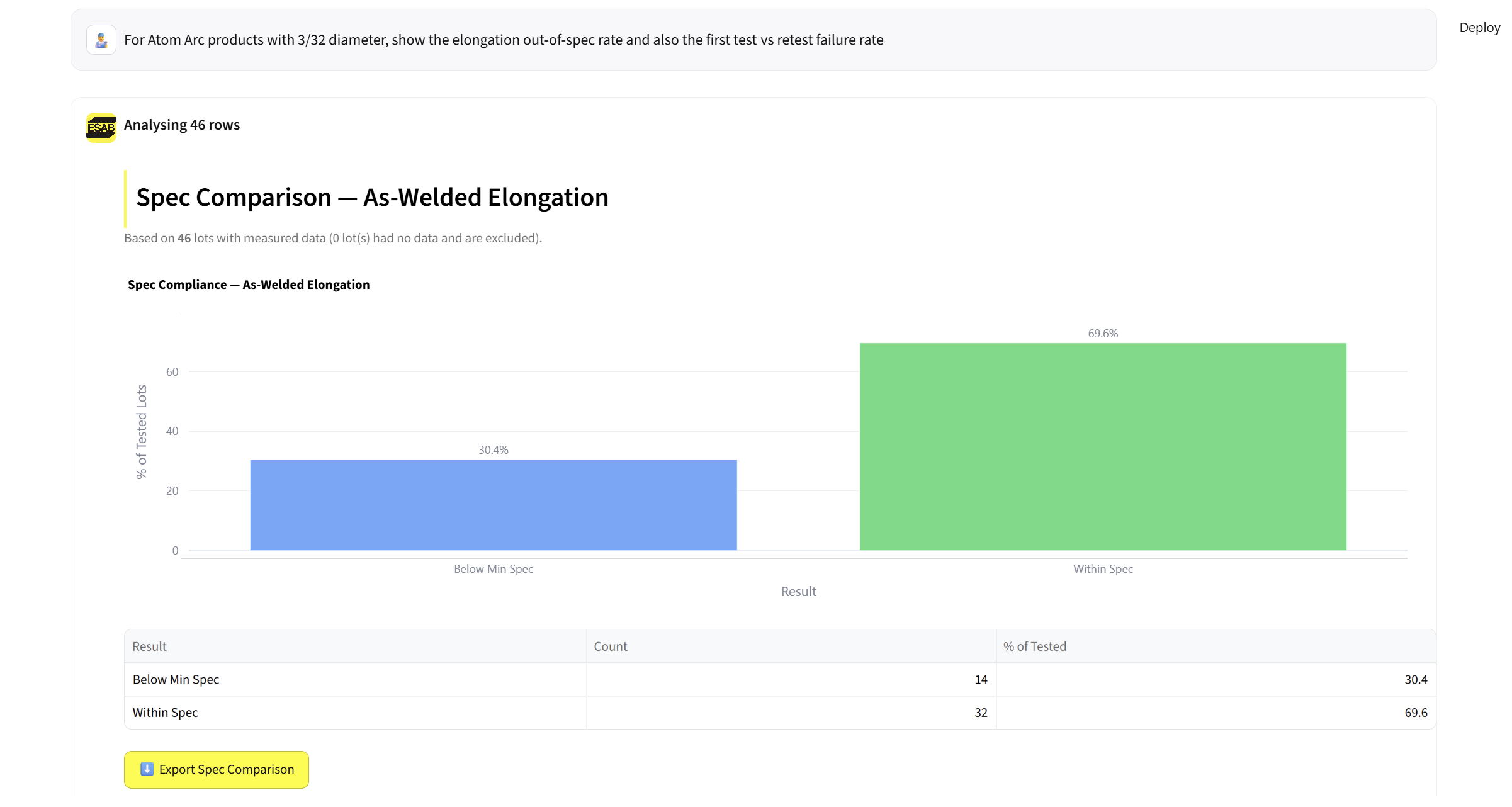
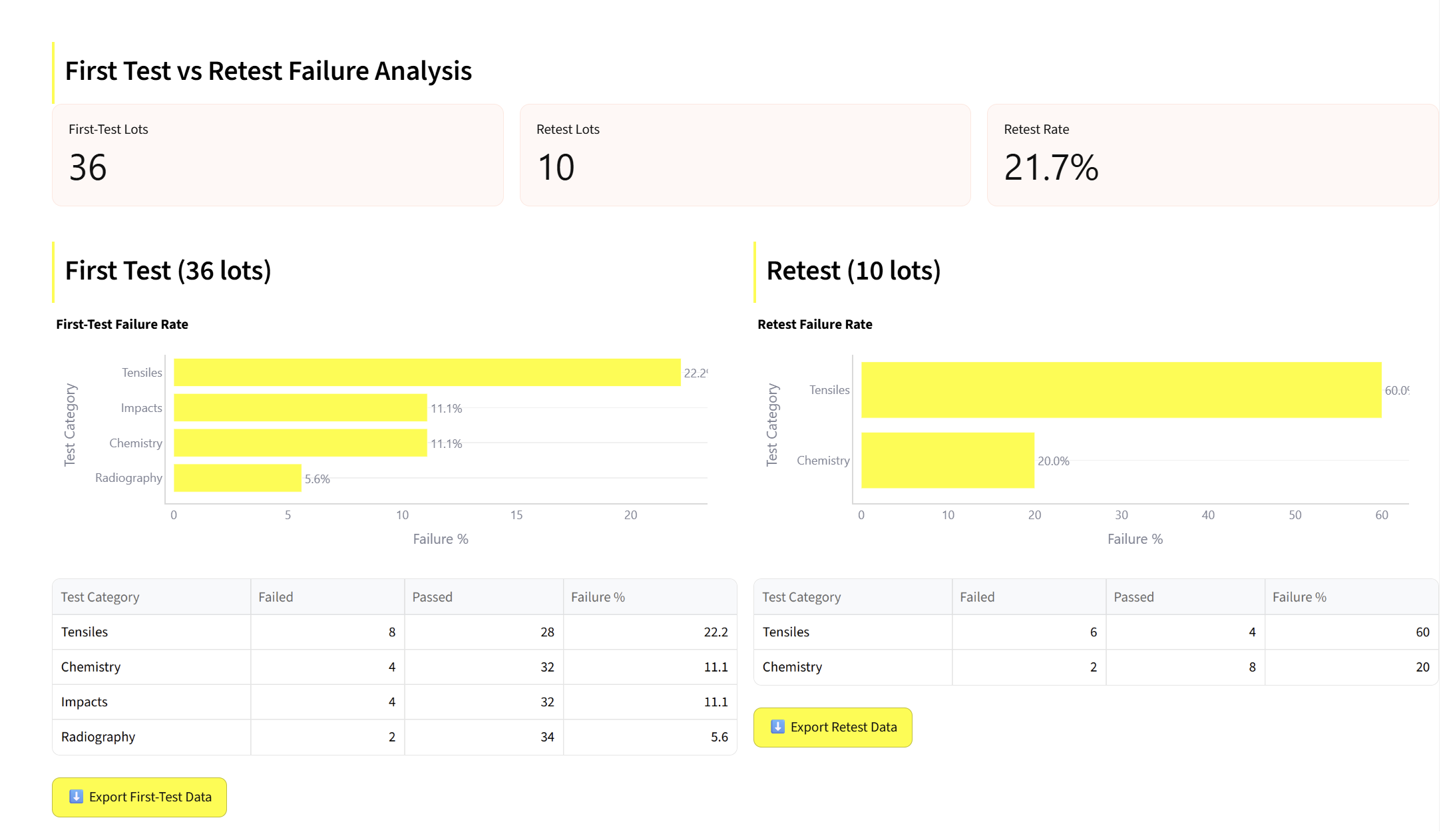
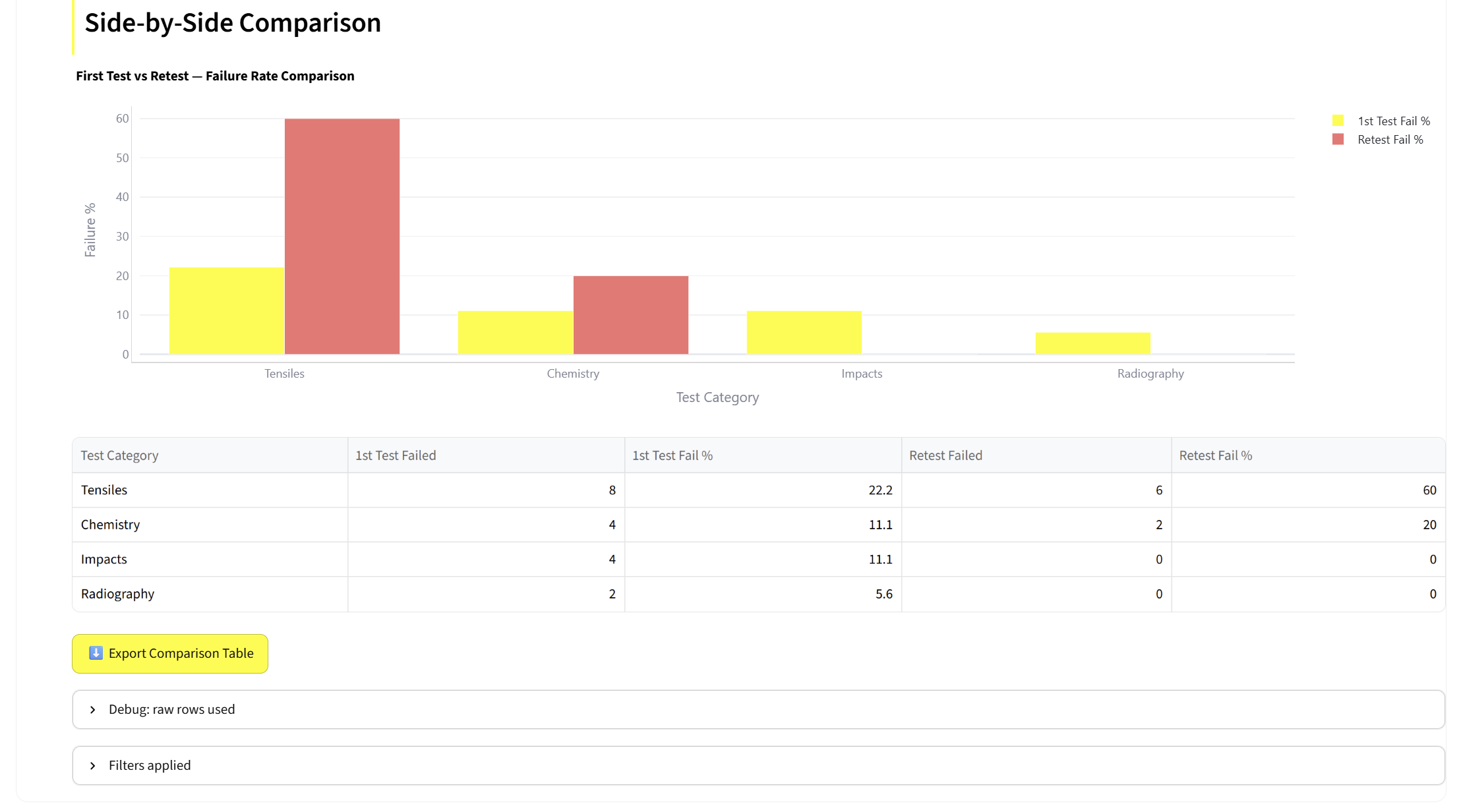
I saw this problem, and realized that AI could be a hugely successful tool for this challenge. My solution (named PANDA) allows engineers to type a question in plain English, a local AI turns it into a spreadsheet filter, and the website shows you the matching rows or a chart. Not only that, but engineers can easily perform failure analysis of all products and create new spreadsheets with that filtered data in just one click. Overall, this allowed for filtered data access in just 9% of the time compared to the manual method.
Challenges
-
Data privacy and security. Not only did PANDA have to work, but it had to keep all the data it imported and exported secure while doing so. I used Ollama’s llama3.1 model to do this project, as it allowed for completely local interactions. Not only that, but an OS in the office can now run as the host, allowing engineers to easily access this without any downloads or set up. My built-in security system was crafted to ensure only verified ESAB employees, on that specific Wi-Fi, and with the IP address and password, were able to access the data.
-
Incomplete data. The testing spreadsheet has been around for so long that data was often incomplete or ill-formatted. Typos and entry errors were common, so I had to implement fuzzy matching to account for any typos (both in data entry and tool access). A local model is worse at extrapolating meaning from poor entries, so I had to compensate by manually coding for many common phrases.
-
Loading times. As I started my work on PANDA, the sheer size of the database led to long loading times (sometimes up to 7 minutes depending on prompting). I was able to implement local caching that cleared each time the tool was closed, which took the average prompt loading time from over 5 minutes down to just 25 seconds.